How to Choose Fiber Optic Cable: The Five Questions That Decide Everything
By Peter Lin, HENGXANG Firm · Published on November 21, 2026
Quick answer: Pick single mode cable (OS2, G.652.D, yellow jacket) for runs over 500 meters or any new build; keep multimode (OM3 or OM4) only for short runs that already have multimode optics. Match the construction to the environment: GYTA for duct, GYTA53 for direct burial, ADSS or figure-8 for aerial, and LSZH jackets for tunnels, ships, and hospitals. Pair connectors to the transceiver (LC is the modern default), and order route length times 1.1 plus 6 meters per run.
If you want to know how to choose fiber optic cable, answer five questions in order: how far and how fast the signal must travel, where the cable will live, what the fire code requires, which optics it must match, and how many meters you actually need. Each question maps to one spec sheet line: fiber mode, cable construction, jacket rating, connector type, and quantity. This guide gives you the numbers behind every answer: the distance table that settles single mode versus multimode, the fire-rating chart inspectors check, the decoder for factory codes like GYTA53-24B1.3, and the ordering formula that keeps your project off the shortage list.
We have manufactured fiber optic cable at HENGXANG in Jinhua, Zhejiang for more than 25 years, and the failures buyers call us about almost never involve bad glass. They involve ordering mistakes. Outdoor cable pulled indoors and flagged at inspection. A 6-fiber trunk serving three networks that needed 18. Single-mode modules patched onto multimode fiber, and a support ticket that just says "no link."
Those mistakes cost more than the cable ever did, because fixing them means re-pulling runs that were already installed, hidden, and working on paper. The whole point of this guide is to make your first order the right order. If you already know what you need, the full fiber optic cable catalog is one click away; if not, the five questions below take about ten minutes to answer.
One opinion up front, because you deserve honesty instead of a brochure: for most new buildings, we now recommend single mode cable everywhere, including short indoor runs. That goes against much of the advice you will read, and we will show you exactly why in the next section, along with the cases where multimode still wins.
How to Choose Fiber Optic Cable: The Five-Question Method
Choosing a fiber optic cable is five decisions in a fixed order: transmission distance and speed, install environment, fire code, matching optics and connectors, and quantity. Work through them in that order, because each answer narrows the next choice. Skipping a step is how buyers end up with cable that cannot legally or physically go where they planned.
The order matters more than the questions themselves. Pick the jacket color first and you will design the whole link around a color. Pick the distance first, and the fiber type, jacket, armor, and connector all follow almost automatically. This is the same sequence our own engineers use when they quote a project, and it maps closely to the classic four-step selection method used across the industry: transmission needs, environment, safety rules, then cost and service life.
Here are the five questions in the order we answer them:
- How far and how fast? Distance and speed decide the fiber mode.
- Where will it live? Indoors, duct, buried, or aerial decides the construction.
- What does the fire code say? Plenum, riser, or general purpose decides the jacket.
- Which optics and connectors? The transceiver decides the ends.
- How many meters and fibers? The route map decides the order sheet.
| Question | What to check | The expensive wrong answer |
|---|---|---|
| How far, how fast? | Distance in meters or kilometers; speed per link | Multimode for a 2 km run: the link never comes up |
| Where will it live? | Indoors, duct, buried, aerial, underwater | Indoor cable in a trench: crushed and waterlogged in year one |
| What does the fire code say? | Plenum, riser, general purpose, or LSZH | Outdoor gel cable indoors: failed inspection |
| Which optics and connectors? | Transceiver type, LC or SC, UPC or APC | Single-mode module on multimode fiber: dead link |
| How many meters and fibers? | Route map, ordering formula, standard fiber counts | 6-fiber cable for 3 isolated networks: a second pull |
Notice that cost is not one of the five questions. That is deliberate. Cable price per meter is the smallest number on the project, and the four failure modes in the table above each cost more to fix than any upgrade would have cost up front. When a special material does raise the price, such as stainless steel armor for a rodent-heavy route, it usually extends service life by years, which is the trade we tell buyers to make consciously rather than stumble into.
Single Mode or Multimode: Which One Do You Actually Need?
Single mode fiber carries light through a 9-micron core over kilometers; multimode fiber uses a 50-micron or 62.5-micron core and tops out around hundreds of meters. Pick single mode for runs beyond about 500 meters, any building-to-building link, and every new build. Pick multimode only when short runs already own multimode optics. Never mix the two in one link.
Here is the full comparison, including the model-class letters you will see on quotes from Asian factories: B1 means single mode, A1a and A1b mean 50-micron and 62.5-micron multimode.
| Feature | Single mode (B1 / OS2) | Multimode (A1a, A1b / OM1 to OM5) |
|---|---|---|
| Core size | 9 micron core in 125 micron cladding | 50 or 62.5 micron core |
| Operating wavelengths | 1310 nm and 1550 nm | 850 nm and 1300 nm |
| Practical reach | Kilometers; 100 km and beyond with the right optics | Up to about 2 km at low speeds; far less at high speed |
| Indoor jacket color | Yellow | Orange, aqua, violet, or lime |
| Typical jobs | Between buildings, campus backbone, metro, FTTH | Inside one building, short data center links |
Distance is where the decision actually gets made, so check your run against the Ethernet reach table below. A 10 km class single-mode cable holds 10 km at 10G, 40G, and 100G with LR-series optics, while OM3 tops out near 100 m at 40G and 100G.
| Fiber type | 10G | 40G | 100G |
|---|---|---|---|
| OM3 multimode | 300 m | 100 m | 100 m |
| OM4 multimode | 550 m | 150 m | 100 to 150 m |
| OS2 single mode | 10 km | 10 km | 10 km |
The glass standard matters too. Modern single-mode cable almost always carries ITU-T G.652 fiber, the international specification covering the 1310 and 1550 nm windows, and the G.652.D subcategory is the strictest and most widely deployed version. When a Chinese factory quote says B1.3, it is pointing at exactly this glass.
Now the contrarian part. Plenty of buying guides tell you that multimode is "almost always the right choice" inside a single building, mostly because multimode optics cost less than single-mode optics. We disagree, and here is our factory-floor logic for new projects.
The optics price gap has been shrinking for years while single-mode prices keep falling. OM5, the newest multimode, adds no distance over OM4 for today's common speeds, so paying for the newest grade buys you little today. And a single-mode backbone carries 10 km of headroom, so your building never outgrows it, ever.
A recent hospital campus project shows what this looks like in practice. Five buildings, two of them 16 floors, three of them 7 floors, and a fully optical network design with 53 floor-level splice boxes and no active switches on any floor. The engineers ran G.652.D single mode everywhere. That meant 24-fiber trunks between buildings, 24-fiber risers up the shafts, and two-fiber bend-insensitive drop cable to roughly 7,500 outlets, including 60-meter desk runs. One glass type across the whole campus means one spare part, one fusion splicer setting, and zero chance a technician pairs the wrong modules.
So when does multimode still win? When the equipment is already in place. If a customer owns racks of multimode transceivers, replacing working optics with single-mode optics to save jacket cost is bad math. Multimode also remains the cheapest path for short 1G to 10G links where the optics budget matters more than reach.
Match the fiber to the transceiver you will actually deploy. If you need a refresher on module types, our guide on how to choose an SFP transceiver covers the pairing rules in detail, and our optical transceivers category lists the modules themselves. For data center builds pushing 400G and beyond, the same single-mode logic applies at even higher speeds, which we cover in our InfiniBand 400G cabling guide.
One rule with no exceptions: single-mode fiber and multimode fiber must never appear in the same link. They bend light differently and pair with different transceivers, so a mixed run either fails to link or collapses to a tiny fraction of the rated distance. If a splice is unavoidable, such as an old multimode backbone meeting a new single-mode feed, put media conversion between them instead of hoping.
The OM and OS Alphabet, Decoded
Once you settle the single-mode versus multimode question, the next letters appear: OM1 through OM5 for multimode glass grades, and OS1 or OS2 for single mode. The numbers are generations, not speeds.
OM1 and OM2 are the legacy grades behind the orange jackets in older buildings. OM3 and OM4 are the laser-optimized grades that carry 40G and 100G in data centers today. OM5 is the newest grade, built for carrying multiple wavelengths over the same fiber, though as noted above it does not extend today's common reaches beyond OM4.
OS2 is the modern single-mode designation for premises cable, and it is the one to put on a new spec sheet. OS1 usually refers to older, tightly buffered single-mode constructions.
For jacket colors, an industry color code keeps technicians from guessing: indoors, yellow means single mode, orange means legacy multimode, and aqua or violet means the modern laser-optimized grades. This TIA-598 color code reference from the Fiber Optic Association lists the full chart.
| Jacket color (indoor) | Fiber type | Where you still see it |
|---|---|---|
| Yellow | Single mode (OS1/OS2) | Almost every new installation |
| Orange | OM1 or OM2 | Legacy LANs and old campus runs |
| Aqua | OM3 (often OM4 too) | Data centers and 10G+ backbones |
| Violet | OM4 | Newer multimode installations |
| Lime green | OM5 | Wideband multimode, still uncommon |
For a full walkthrough of these colors, watch this 14-minute lecture from the Fiber Optic Association, the same source we cite for the standard itself:

Two practical notes beyond color. First, outdoor jackets are almost always black for UV resistance, so color tells you nothing outside; read the print legend instead. Every factory prints a legend along the jacket listing fiber count, glass standard, and manufacture date, and that legend is also the fastest way to audit a delivery against your purchase order. Second, the fibers inside a multi-fiber cable follow their own numbering colors, blue, orange, green, brown, and so on, so technicians can identify strand one versus strand twelve without a meter.
Connector choice rides along with the fiber decision rather than driving it, but you will still pick LC, SC, FC, or ST ends for patch cords and pigtails. We break those apart in a dedicated guide to LC, SC, FC, and ST connectors, and the fiber optic connector category shows the physical options with polish grades.
Indoor or Outdoor: What Changes When the Cable Leaves the Building?
Outdoor cable is built to fight water, sunlight, and crushing; indoor cable is built to resist fire and tolerate tight bends. Outdoor jacket materials will not pass indoor fire codes, and indoor jackets rot and crack under sunlight and moisture. If a run crosses outside to inside, use a dual-rated cable or splice to indoor cable at the entry.
The constructions differ from the first layer outward, and the factory series letters tell you which world a cable belongs to. GY-prefixed cables are outdoor telecom cable, and GJ-prefixed cables are indoor cable. Here is how they compare.
| Feature | Outdoor cable (GY series) | Indoor cable (GJ series) |
|---|---|---|
| Core construction | Loose tube, often gel-filled, fibers float free | Tight buffer, fibers bonded in place |
| Jacket materials | Polyethylene (PE), UV and moisture resistant | PVC, LSZH, or polyurethane |
| Armor options | Steel tape or steel wire available | Usually none, some flexible armored types |
| Built to survive | Water, sunlight, crush, tension, temperature swings | Fire codes, tight bends, dense trays |
| Typical runs | Between buildings, ducts, buried, aerial | Racks, walls, ceilings, risers, horizontal |
For a ten-minute tour of how these constructions differ on the factory floor, this lecture from the Fiber Optic Association is the one we recommend to new distributors:

Loose tube versus tight buffer deserves one plain-language explanation, because the difference explains most outdoor versus indoor behavior. In a loose tube cable, each fiber sits inside a floating tube with room to slide, so when the cable expands on a hot rooftop or contracts on a cold pole line, the glass itself barely strains. In a tight-buffered cable, the protective layer is bonded directly to the glass, which makes the fiber easy to handle, terminate, and bend sharply, exactly what a rack or ceiling tray demands.
The trap that catches newcomers is the transition point. Many buyers see that outdoor cable is tougher and assume it is also "better," so they pull it all the way to the patch panel. That is a fire code violation almost everywhere, because outdoor cable carries no flame or smoke rating for occupied spaces, and the gel filling does not help either. Our own indoor and outdoor fiber optic cable lines cover both worlds, including dual-rated constructions that cross from outside to inside without a splice. If you go the splice route instead, plan the entry point with a fiber termination box where the outdoor jacket stops and the indoor cable begins.
Which Outdoor Cable Survives Rodents, Rain, and Lightning?
Match the outdoor construction to the route's main threat: duct runs take GYTA or GYTS, direct burial needs steel-armored GYTA53 or GYTY53, aerial runs want self-supporting figure-8 or ADSS, and power-line corridors need non-metallic all-dielectric cable. Every threat has a construction built against it; the cheapest jacket everywhere is how networks die early.
The table below condenses the scenario-to-model mapping our sales engineers use when quoting outdoor projects. The codes come from the Chinese naming standard we decode fully in the next section, and each one is a complete construction recipe, not a random part number.
| Route | Main threat | Construction to order | Common code |
|---|---|---|---|
| Underground duct | Water, pulling loads | Stranded loose tube with aluminum moisture barrier | GYTA |
| Underground duct, heavier duty | Water, crush | Stranded loose tube with steel-tape sheath | GYTS |
| Short outdoor runs, small counts | Mixed duct and aerial | Central tube with parallel steel wires | GYXTW (up to about 16 fibers) |
| Direct burial | Rodents, rocks, crush | Corrugated steel tape armor | GYTA53 / GYTY53 |
| Direct burial, small counts | Rodents, rocks | Central tube with corrugated steel armor | GYXTW53 (up to about 12 fibers) |
| Aerial, lashed or figure-8 | Wind, ice load | Self-supporting figure-8 core | GYXTC8S / GYTC8S |
| Aerial along power lines | Lightning, induced voltage | All-dielectric, non-metallic | ADSS / GYFTY |
| Underwater or steep slopes | Tension, water ingress | Fine steel wire armor | GYTA33 |
Three of these deserve a closer look because they fail most often when guessed. Direct burial is the classic one: a duct-rated cable buried without armor looks fine on install day and gets chewed through or crushed within a couple of seasons. Corrugated steel tape armor is the industry's most widely accepted rodent protection, which is why our 53-series constructions carry it as standard. If your route crosses a road or parking area, burial depth and armor are not optional extras; they are the cable.
Aerial runs along power lines are the second trap. Steel armor near energized lines invites induced voltage and lightning problems, which is why all-dielectric self-supporting cable exists. ADSS cable carries its own strength members made of aramid yarn instead of steel, hangs without a messenger wire, and can even be installed using live-line methods on energized transmission lines. For ordinary aerial spans between poles without power concerns, figure-8 self-supporting constructions keep cost down.
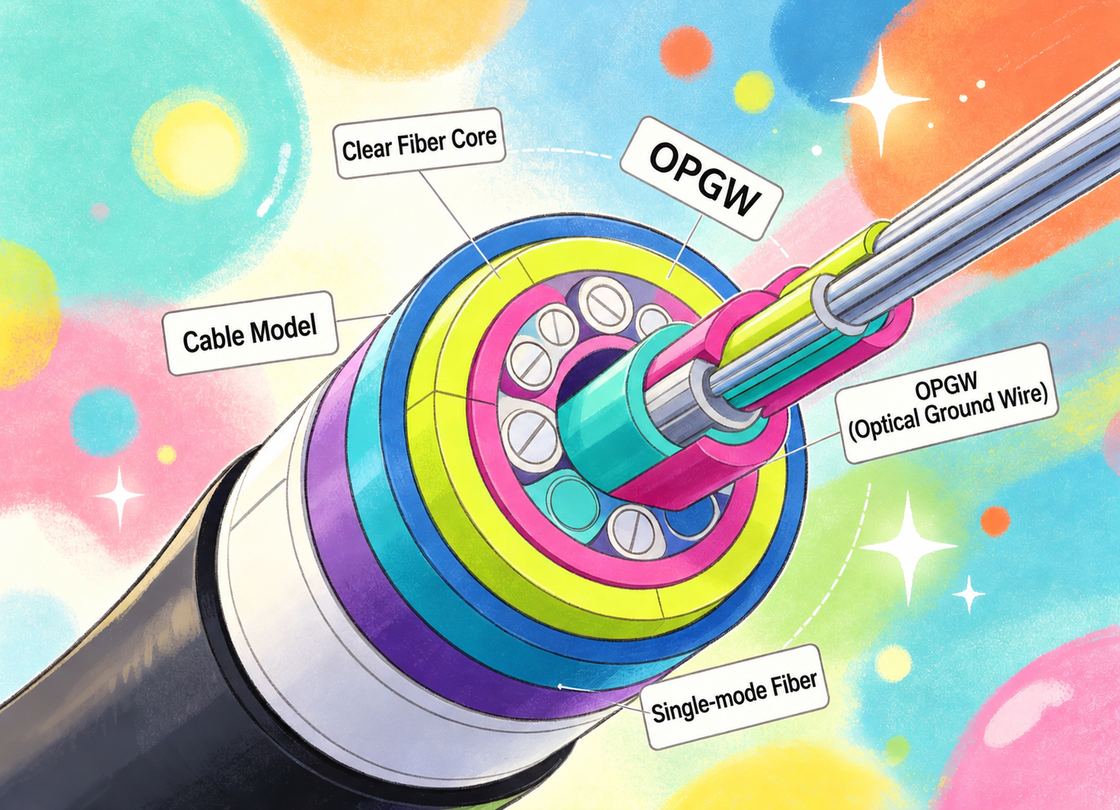
The third trap is capacity. Stranded loose-tube constructions like GYTA and GYTS hold anywhere from 4 up to 144 fibers, while central-tube designs like GYXTW are economical choices below about 16 fibers. Buying a high-count trunk in a central-tube body to save money usually costs more in splicing labor than it saves in cable price.
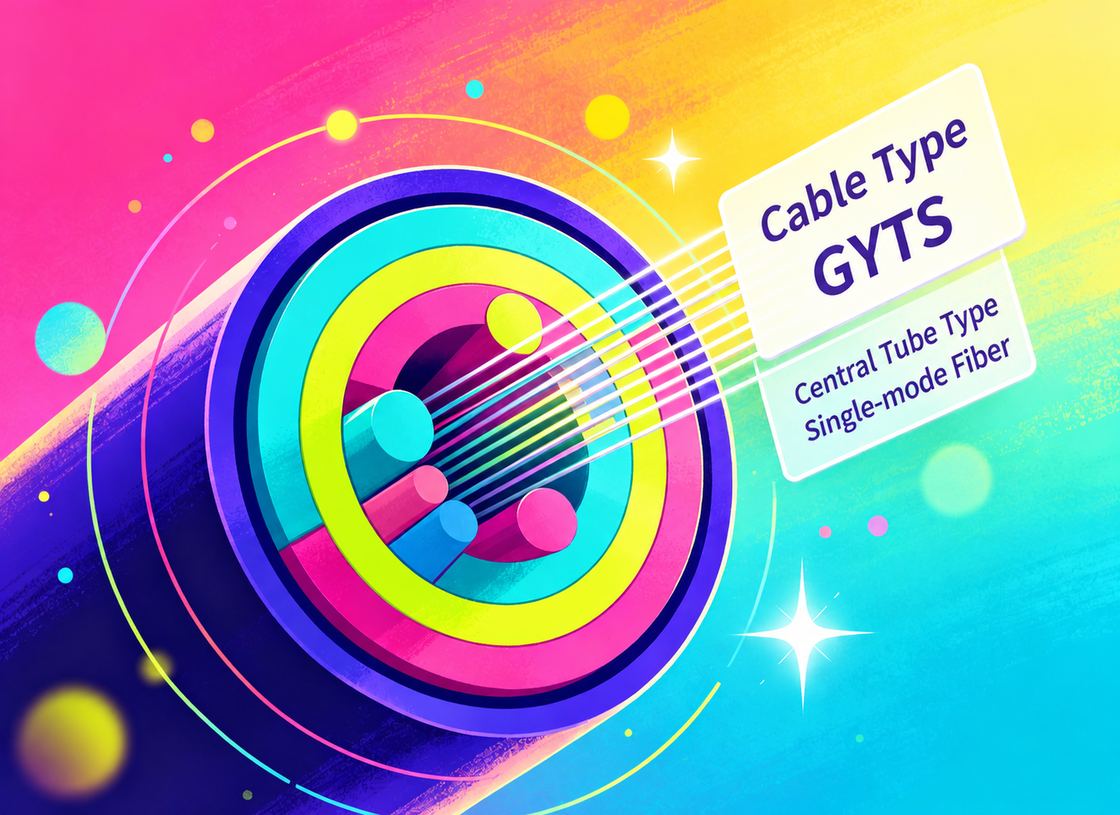
For a real-world look at how these models get combined on one FTTH project, our GYTA, GYTS, GYXTW, and ADSS outdoor cable listings show typical fiber counts. FTTH drop routes usually end with a two-fiber flat drop cable at each home. Wherever an outdoor run gets jointed, plan a splice closure rated for the same environment. Add PLC splitters where the distribution splits toward subscribers.
What Do the Letters on a Cable Quote Actually Mean?
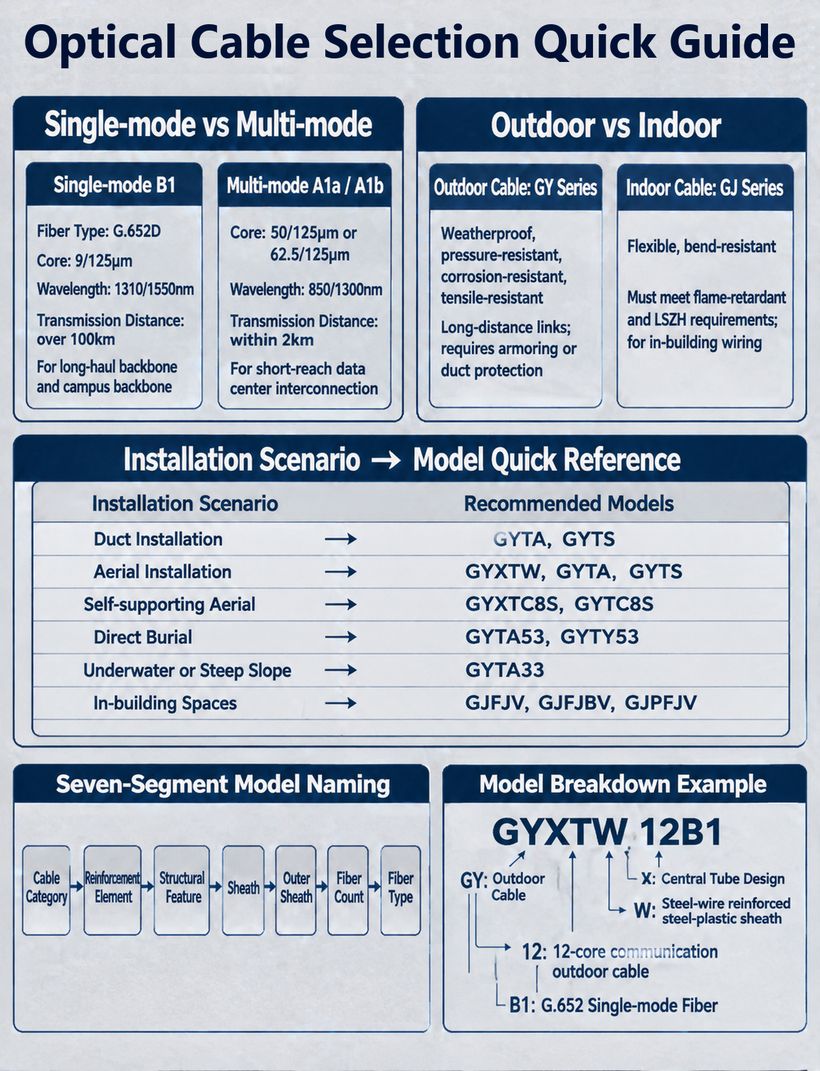
Those letter-and-number codes follow a seven-part naming system: cable class, strength member, core structure, sheath, outer armor, fiber count, and fiber type. GYTA53-24B1.3 reads as outdoor cable, metal strength members, stranded loose-tube core, aluminum-tape moisture sheath, corrugated steel armor, 24 fibers, and G.652.D single-mode glass. Learn the seven slots once, and any quote from any factory becomes readable in seconds.
Buyers sourcing from Chinese manufacturers see these codes on every quotation, purchase order, and packing list, yet almost no English-language guide explains them. The system comes from the Chinese telecom standard YD/T 908, the cable naming method, and it is essentially a compressed spec sheet. Here are the seven slots with the codes you will actually encounter.
| Slot | What it tells you | Common codes |
|---|---|---|
| 1. Cable class | Where the cable lives | GY outdoor telecom, GJ indoor, GH submarine |
| 2. Strength member | Metal or non-metal reinforcement | No letter = metal; F = non-metal (dielectric) |
| 3. Core structure | How fibers sit inside | No letter = stranded loose tube; X = central tube; J = tight buffer |
| 4. Sheath | Moisture barrier and jacket | A = aluminum tape + PE; S = steel tape + PE; W = steel tape with steel wires; Y = PE; V = PVC |
| 5. Outer armor | Mechanical protection | 53 = corrugated steel tape; 33 = fine steel wire; 2 = double steel tape; none = unarmored |
| 6. Fiber count | How many fibers | 2, 4, 6, 8, 12, 24, 36, 48, 72, 96, 144 |
| 7. Fiber type | The glass standard | B1.3 = G.652.D single mode; A1a/A1b = 50/62.5 micron multimode |
Let us decode a real example the way our engineers read it. The label GYXTW 12B1 breaks into GY (outdoor telecom cable), no letter (metal strength members), X (central tube core), W (steel-tape sheath with parallel steel wires), no armor code (unarmored), 12 fibers, and B1 (G.652.D single-mode glass). One string, seven facts, zero guesswork.
On purchase orders, fiber type often gets a count prefix, and mixed-fiber cables simply join types with a plus sign. Four G.652.D single-mode fibers are written 4B1.1 or 4B1, and four 50-micron multimode fibers are written 4A1a or 4A1. A cable carrying both would show them joined by a plus. These are the five labels our own customers order most often, so you can use them as templates.
| Label on the quote | What you are ordering |
|---|---|
| GYTA-24B1.3 | Outdoor stranded cable, aluminum moisture barrier, 24 G.652.D single-mode fibers |
| GYTA53-24B1.3 | The same cable with corrugated steel armor for direct burial |
| GJFJV-24B1.3 | Indoor tight-buffered 24-fiber single-mode cable |
| GJXH-2B1.3 | Indoor butterfly drop cable, 2 fibers, for FTTH and desk runs |
| GYXTW-4B1.3 | Outdoor central-tube cable with steel wires, 4 fibers |
Western catalog names express the same ideas in different words: "armored loose tube" covers the GYTA53 family, "ADSS" is the all-dielectric aerial type, and "distribution" or "breakout" cable maps to the indoor constructions. When a supplier's quote and your spec sheet use different naming systems, translate slot by slot rather than trusting either label alone, because the armor slot is where misunderstandings get expensive.
How to Choose Fiber Optic Cable Quantity: The Ordering Math
Measure the route and multiply by 1.1 for bends and detours, then add about 6 meters per run for termination slack at both ends. For a floor of outlets, average the longest and shortest runs, add twice the floor height, and apply the same multiplier. For fiber count, total your links, add spares, and round up to a standard count.
That first formula is the one we hand to integrators, and it comes straight from repeated project arithmetic: actual length equals route length times 1.1, plus 6 meters of termination allowance. The 10 percent covers routing that never goes straight, and the 6 meters cover what a splicer actually consumes making ends tidy at both terminations. On a recent five-building hospital campus, that arithmetic produced a 64.1-meter average per outlet, calculated from an 85-meter longest run, a 5-meter shortest run, and 3.9-meter floor heights.
The hospital project also teaches the bigger lesson about where cable really goes. The campus ended up at roughly 495 kilometers of total cable, and about 99 percent of it was horizontal: two-fiber bend-insensitive drop cable running from floor splice boxes to 7,500 outlets. The between-building trunks that look impressive on a diagram were under one percent of the meters. Buyers obsess over the outdoor trunk and underestimate the horizontal layer, then discover that the horizontal layer is where the budget and the labor both live.
Fiber count math (buyers also call it strand count) matters just as much as length. Count the networks, not just the links, because physically isolated networks each need their own fibers. The same hospital ran three isolated networks, internal, external, and device, which is why every inter-building trunk carried 24 fibers, effectively three networks sharing one cable body. Then add spares for growth and repairs, and round up to a standard count rather than ordering an odd number a factory must custom-build.
| Standard fiber count | Typical job |
|---|---|
| 2 | One link, desk runs, FTTH drop cable |
| 4 to 6 | Small device networks, camera rings |
| 12 | Small business backbone |
| 24 | Campus trunks, one building riser per isolated network |
| 48 and up | Large campuses, data centers, metro sections |
A true spare-rule worth borrowing from our distributors: the cost difference between adjacent standard counts is small, and running extra fiber now is essentially free compared with pulling cable twice. A 12-fiber cable usually costs little more than a 6-fiber cable in the same construction.
Two procurement notes finish the math. First, lead times vary by construction and count; on our own lines, stock items ship in about 5 to 7 working days, OEM custom builds in about 10 to 15, and bulk orders of 5,000 or more units in about 15 to 20, so a hard deadline belongs in the conversation before the purchase order, not after. Second, remember that cable is only the fiber's housing; the run also consumes patch cords and pigtails, fiber termination boxes at the horizontal endpoints, and usually an optical distribution frame in the main room, and our plain-language guide to what an ODF is explains that last piece.
What Fire Code Rules Can Stop Your Installation Dead?
Indoor fiber cable must carry a fire rating that matches its path: OFNP in air-handling plenum spaces, OFNR in vertical risers, and OFN or OFNG for general purpose runs. Plenum-rated cable may always replace riser or general purpose cable, but the reverse fails inspection. Tunnels, metro systems, ships, and similar enclosed spaces usually specify low smoke zero halogen jackets instead.
These ratings come from National Electrical Code Article 770, which lists exactly which cable types are permitted in each building location. The OFN letters decode simply: Optical Fiber, Nonconductive, with P for plenum and R for riser. The plenum requirement is the strict one, because plenum cable must pass the NFPA 262 Steiner tunnel test. That test limits flame spread to 5 feet and peak optical smoke density to 0.5.
| Rating | Meaning | Where the code demands it |
|---|---|---|
| OFNP / OFCP | Plenum rated, nonconductive / conductive | Air-handling spaces above ceilings and under raised floors |
| OFNR / OFCR | Riser rated | Vertical runs between floors |
| OFN / OFNG | General purpose | Horizontal runs within one floor |
| LSZH | Low smoke zero halogen | Tunnels, metros, ships, hospitals by specification |
The substitution hierarchy is the part inspectors actually check. A higher rating covers every lower use, so OFNP cable may be installed anywhere OFNR or OFNG is allowed, and OFNR may cover OFNG runs. Nothing works in the other direction, and rating comparisons make clear that the most common violation is riser cable found in a plenum ceiling. When in doubt and the budget allows, plenum-rated cable removes the question entirely.
LSZH is the parallel standard, and the letters say exactly what it promises: in a fire, the jacket produces low smoke and essentially zero halogen acid gas. Regular PVC jackets, by contrast, can release corrosive fumes that endanger people evacuating and corrode nearby electronics. The material standards behind LSZH define both the flame spread tests and the halogen limits, and LSZH is specified wherever smoke would kill before flame does: tunnels, metro stations, ships, offshore platforms, and increasingly hospitals and airports. Our hospital campus example made the same call: every indoor cable in that build was specified flame retardant, and the desk-level drop cables carried LSZH sheaths.
One more compliance note ties back to the outdoor section: outdoor gel-filled cable has no indoor rating at all. If a route crosses from outside to inside, the compliant options are a dual-rated indoor/outdoor cable or a splice to rated indoor cable at the entry, as covered earlier. Buying the tougher cable feels safe, but in fire code terms it is the least compliant cable on the project.
How Do You Spot Cable That Will Fail Later?
Ask for the batch test report before you pay: insertion loss and return loss per batch, confirmation that the glass meets ITU-T G.652.D or G.657, spark test records for any armored jacket, and tensile and crush results for the cable body. A factory that cannot produce these documents is selling you hope, not cable.
This is the one area where being the manufacturer changes what we can tell you, so here is what real quality control looks like from the inside. On our connector lines, every polishing station feeds an in-line interferometer that measures the ferrule's end-face geometry, and finished batches are sampled against internal acceptance limits set tighter than the published IEC 61300 and Telcordia GR-326 minimums. On the cable side, jacketing lines run in-line diameter monitoring, armored cable passes a spark test that hunts for pinholes in the insulation, and finished reels go through tensile, crush, and temperature-cycling tests before release.
The reason all of this matters is timing: a marginal ferrule or an out-of-spec buffer coating rarely shows up as a visible defect. It shows up as a link with a little too much loss, installed in a ceiling, aged for two winters, and then mysteriously flaky. Catching it at the factory costs minutes; catching it after installation costs a truck roll, a splice crew, and sometimes a customer. That is why our quality team can hold any batch at any checkpoint, and why batch-level test records are retained, so a field complaint traces back to a specific production run instead of a shrug.
When you evaluate any supplier, ours or anyone else's, put these questions in writing and keep the answers with the purchase order.
Does the fiber meet a named ITU-T standard? Is there a batch insertion loss and return loss report per delivery? Are third-party credentials current, for example ISO 9001 certification plus CE marking and SGS-verified testing where offered? Can they trace your serial numbers to a production run?
Factories with real checkpoint QC answer these in one email. Factories without them answer in excuses.
The spec sheet on a website tells you what the product should be. The test report tells you what the reel in front of you actually is, and that gap is the whole story of cable quality.
Appearance checks still have a place on delivery day, and they catch the crudest failures: a jacket should look smooth and bright, feel flexible, and print cleanly, and a jacket that sticks to itself or cracks when flexed is a rejection. But appearance is the floor, not the ceiling. The cheap quote that skips a test step does not look different in the box, which is exactly why the paperwork, not the packaging, is what tells you how to choose fiber optic cable quality before the cable goes in the ground.
Bend Radius: The Mistake That Kills Cables After Installation
Fiber survives abuse during installation better than buyers expect, with one exception: bending it tighter than its minimum radius. Standards draw a clear line. Premises cable with 2 to 4 fibers must keep a 25 mm bend radius after installation and 50 mm while being pulled, with pulling tension limited to about 222 N (50 lbf) for those small premises cables. A practical rule for any cable without a datasheet number: never bend tighter than about ten times the cable's outer diameter, and never yank a cable past its rated pulling tension.
Two zones in a building do most of the damage. The first is the rack, where technicians stuff slack loops behind patch panels; that is why the machine-room rule of thumb says patch cord bends should stay at least ten times the cord diameter, and why cable managers exist. The second is the horizontal pathway, where cables get yanked around corners in trays and conduit.
On our hospital example project, the installation spec reserved 40 percent spare space in every duct. It kept low-voltage runs at least 50 cm from power lines, in parallel and at crossings. It also set the same ten-diameter rule for every jumper in the machine rooms. None of that was gold-plating. It was the difference between links that pass optical testing the first time and links that drift for months.
Modern glass has quietly lowered this risk. Bend-insensitive single-mode fiber, standardized as ITU-T G.657 with a 10 mm minimum bend radius, tolerates tight corners that would choke standard G.652 fiber, and it remains compatible with G.652.D deployments so it can be spliced into existing links. That is why the hospital's 7,500 desk runs used bend-insensitive drop cable: thin flat cable that fits under carpets, around door frames, and through tight conduit elbows without losing signal.
If you are specifying cable for dense racks or tight horizontal pathways, make bend performance an explicit line item rather than an assumption. Then, once the cable is in, the way you dress and support it matters just as much; our guide to data center cable management best practices covers routing, slack control, and labeling in depth.
Which Fiber Optic Cable Mistakes Cost the Most Money?
The five costliest mistakes are mixing fiber types in one link, pulling outdoor cable indoors, burying unarmored duct cable, buying too few fibers, and skipping the test report. Every one is avoidable with the five-question method and one honest supplier conversation before the purchase order. None of them shows up at delivery, which is what makes them expensive.
| Mistake | What happens later | The fix |
|---|---|---|
| Mixing fiber types in one link | No link, or reach collapses to meters | Match glass to optics; convert instead of splicing across types |
| Outdoor cable pulled indoors | Failed fire inspection; gel odor in occupied space | Dual-rated cable, or splice to indoor cable at entry |
| Duct cable buried without armor | Rodent and rock damage within a season or two | 53-series steel tape armor for every buried segment |
| Too few fibers | A second pull that costs more than the whole order | Count networks, add spares, round up a standard count |
| No test report requested | Loss drift discovered after installation | Batch IL/RL reports in writing, before paying |
Each row here has already cost someone a project delay, and most rows trace back to the same root cause: a decision made on price per meter instead of on the five questions. The inverse mistake exists too, ordering the most expensive construction everywhere "to be safe," which wastes budget that should have gone to fiber count and test reports. The middle path is exactly what this guide has tried to hand you: spend where the threats are, match the code where the inspectors are, and document what the factory tested.
One related decision deserves its own honesty note. Fiber is not always the answer; copper Ethernet remains cheaper and perfectly adequate for runs under 100 meters with no interference concerns, and we say so in our guide on how to choose Ethernet cable. Choosing fiber where copper works, or copper where fiber belongs, wastes money in opposite directions, and a supplier who never mentions the crossover is selling, not advising.
The Bottom Line: Get Five Answers, Then Order
Choosing fiber optic cable well is not about memorizing standards. It is about answering five questions in order and demanding proof for each one.
Distance and speed set the glass. Environment sets the construction. Fire code sets the jacket. Your optics set the connectors. The route map sets the meters and the fiber count.
Decode the letters on the quote, apply the 1.1-plus-6 ordering formula, and get the batch test reports in writing before money moves.
You now know how to read a cable label like an engineer, how much cable a real campus needs, and which shortcuts inspectors and rodents punish hardest. That is more selection knowledge than most first orders come with, and it should put you in control of the conversation with any supplier, including us.
If you want that conversation, scroll to the inquiry form at the bottom of this page and send us your distances, building types, networks, and speeds. HENGXANG's sales engineers reply within one business day with a spec suggestion for each of the five questions, and you can browse the fiber optic cable catalog or contact our export team directly in the meantime. Twenty-five years of factory floor says the cable you specify correctly the first time is the cheapest cable you will ever buy.
Frequently Asked Questions
Can I use single mode cable with a multimode transceiver?
No, the fiber mode must match the optics. A single-mode transceiver expects a 9-micron core and a precise light launch, so on multimode glass the link either refuses to come up or runs at a small fraction of its rated distance. Match the module to the cable: single-mode optics for OS2 cable, multimode optics for OM3 or OM4, and see our guide on how to choose an SFP transceiver for the pairing details.
How can I tell if an installed cable is single mode or multimode?
Read the jacket color and the print legend. Indoors, the TIA-598 color code makes yellow jackets single mode and orange, aqua, violet, or lime jackets multimode grades. Outdoors, jackets are usually black, so check the printed legend along the cable, which lists the fiber count and the glass standard.
How much extra fiber optic cable should I order?
Multiply your measured route length by 1.1 to cover bends and detours, then add about 6 meters per run for termination slack at both ends. On floor-level runs, a 10 percent cushion on measured distance keeps shortages rare without leaving you with unused reels. The same multiplier applies whether you are ordering one reel or a campus full.
What does GYTA53-24B1.3 mean on my quote?
It decodes as outdoor telecom cable with metal strength members, a stranded loose-tube core, an aluminum-tape moisture sheath, corrugated steel tape armor, 24 fibers, and G.652.D single-mode glass. The seven-part naming comes from the Chinese standard YD/T 908, which is why codes in this style appear on quotes from Chinese factories. Slot-by-slot, any label becomes a complete construction description.
Do I need plenum-rated OFNP cable everywhere indoors?
Only where air circulates, such as above drop ceilings connected to HVAC or under raised floors. Those plenum spaces legally require OFNP cable that passes the NFPA 262 flame and smoke test. Ordinary risers and wall runs accept OFNR or general-purpose cable, and plenum-rated cable may always be substituted downward, never the reverse.
Interested in our products?
Get a Quote