Data center cable management best practices
By Peter Lin, HENGXANG Firm · Published on November 14, 2026 · Updated on November 21, 2026
The data center cable management best practices that hold up in production come down to four habits: separate paths for copper, fiber, and power; hook-and-loop straps instead of zip ties; labels on both ends of every cord, tied to a written scheme; and service slack left for the next technician. Everything else, from labeling formats to automated infrastructure management, hangs off those four. This guide runs them cabinet by cabinet and adds a five-step rescue plan for racks that are already a mess.
The nine practices at a glance, before we go deep:
- Separate pathways for copper, fiber, and power.
- Hook-and-loop straps on anything that changes; zip ties only on permanent bundles.
- Patch panels stacked adjacent to the switches they feed.
- Cable managers sized to the cord diameter.
- Fiber on its own channel, keeping its bend radius.
- Power routed away from data, with A and B feeds kept apart.
- Both-end labels, machine printed, tied to a written scheme.
- Records updated with every move, never after the fact.
- Dead cords swept out on a schedule.
If you came for the stakes: Uptime Institute's 25 years of outage data attributes 66 to 80 percent of data center outages to human error, and cabling mistakes sit right in that zone: a mislabeled patch cord, a stretched fiber, a power plug pulled from the wrong server. Cleaning up cabling is one of the cheapest reliability projects you will ever run.
We have built patch panels, distribution frames, and cable managers at our Jinhua factory since December 2000, and we test every unit with the same pull-out test we describe below. This guide gathers the routine we hand our own customers, cabinet by cabinet, from a fresh install to a rescue job on a rack that is already a mess.
What Do Data Center Cable Management Best Practices Actually Cover?
Good data center cable management covers four things at once: separate routing paths for copper, fiber, and power; labels on both ends of every cord that match written records; service slack so devices can move; and airflow that stays clear behind every rack. Looks are a side effect, not the goal.
That last sentence is worth dwelling on, because the industry keeps selling cable management as a cosmetic upgrade. A cabinet that photographs well but hides unlabeled cords is actually harder to maintain than an honest mess, because at least the mess warns you. The Data Center Frontier guide makes the same point from the planning side: structured cabling gets designed before installation, with documented patch cord lengths and positions, not improvised after the servers land.
Standards back this up. The TIA-606 administration standard exists precisely so that racks, panels, ports, and cables carry identifiers any successor can read. Think of it as a filing system for the physical layer: every cabinet, every panel, every cord gets a name and a record. The data center standard TIA-942 points to TIA-606 for exactly this reason, and Panduit's identification guide shows how the two connect on a real rack.
The four elements work as a system, which is why fixing one in isolation never sticks. Separate paths fail without labels; labels drift without records; records rot when devices cannot be reached without tearing the rack apart. Every practice in the rest of this guide exists to keep the four reinforcing each other.
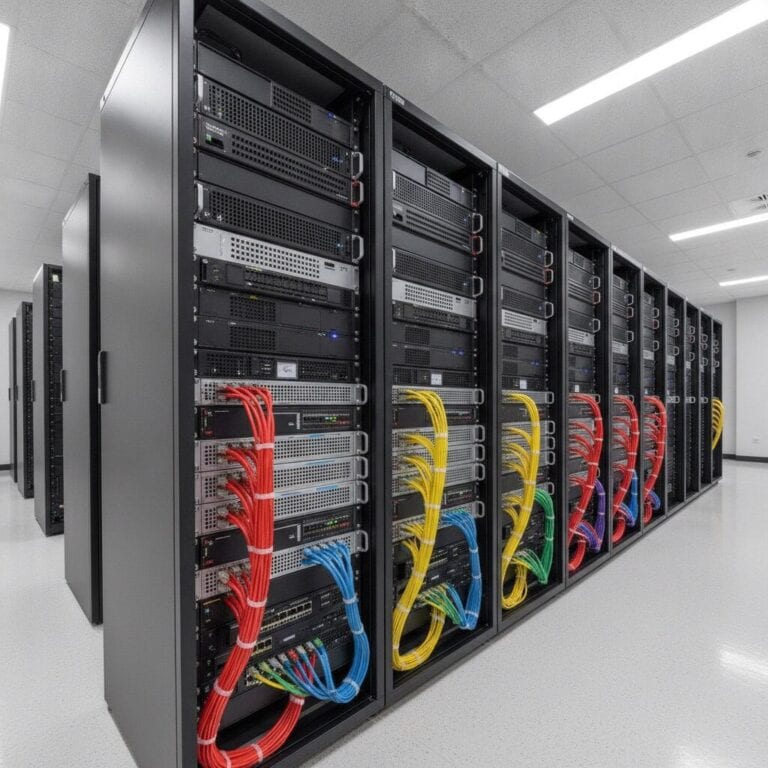
One practical marker separates real management from theater: the pull-out test. Slide a server forward on its rails. If the jumpers move with it, flex without strain, and nothing else in the rack shifts, your cabling was built for maintenance. If something snaps or yanks its neighbor, keep reading.
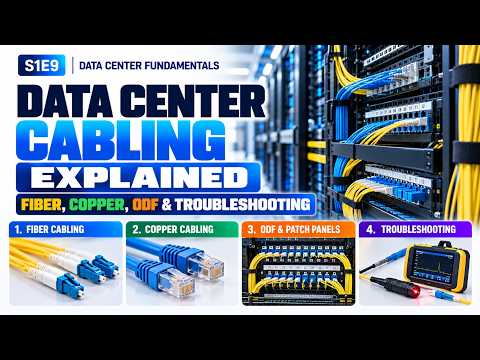
Prefer the full walkthrough on video first? This 15-minute lesson covers the same ground as this guide, from copper versus fiber to patch panels, ODFs, labeling, and testing, with a chapter for each:
Why Do Data Center Cabinets Turn Into Cable Spaghetti?
Cabinets turn messy because business changes outpace discipline: a new switch here, a few cameras there, ports patched under time pressure with whatever cord was on the shelf. Each emergency adds one untracked cord, and the cabinet drifts from tidy to untraceable in months.
Notice what the risk actually is. A tangled cabinet that is fully labeled and documented is slow to work in but safe. A beautiful cabinet with no records is a minefield, because nothing on the outside tells you what anything connects to. When a switch starts flapping and its patch cords have no labels, technicians trace by hand, and hand-tracing hundreds of cords is where cabling-related outages are born.
The anatomy of the mess is one story told in different colors. One technician grabs a three-meter cord because the half-meter bin was empty, so the overflow loops across the rack face. The next one routes around the left side because the right channel was full. A third, on a Friday night, patches around a suspected bad port and never removes the old cord. Six months of that produces a cabinet where cords of every color and length cross in every direction, and the crossings are the problem: any single move disturbs five neighbors.
A rebuild we supplied panels for last year made the cost painfully visible. The customer's cabinet held well over three hundred cords, and nobody could say how many were live. The first audit pass found that roughly a third carried nothing at all, left behind by three generations of decommissioned gear. Before a single new device went in, the dead-cord sweep freed a third of the manager slots and cut the fault-finding time they had been tolerating for years. No new hardware created that improvement; the cleanup did.
The 2025 Uptime Institute outage analysis found nearly 40 percent of organizations suffered a major outage caused by human error, and failure to follow procedures kept rising year over year. Cable discipline is procedure made physical: either the rack enforces good habits through layout and labels, or it relies on everyone's memory, and memory fails on the busiest day.
So change the mental model first. Cable management is part of building the network, not the cleanup after it. Every new device should land in a cabinet that already has a path, a label format, and slack waiting for it. A rack's condition is the most honest visible record of whether the team thinks in systems or in emergencies, and the habits in the next sections are what thinking in systems looks like at the cabinet level.
What Should You Do Before Touching a Single Cable?
Before rearranging anything, map every existing connection: confirm which cords carry live traffic, trace them from the patch panel toward the switches, and tag anything you cannot identify on the spot. The single biggest win in a messy cabinet is usually removing cords that carry nothing at all.
This is the step most guides skip, because they assume a fresh build. Live cabinets are different, and ServerLift's planning checklist translates well only after you know what you own. Start at the patch panel side, where ports are orderly, and walk each link toward its switch port. Never trust a guess: a cord you pull "because it looked dead" can be the management VLAN.
Work in the order the hardware gives you. Panels are numbered, so they are your index; switches are where links terminate, so they are your destination. For each panel port, answer three questions before touching anything: where does this cord go, does it carry traffic right now, and does it belong on the path it is taking? Anything uncertain gets a temporary label and a note, not a scissors. Confirm both endpoints first, then decide whether it stays, reroutes, or retires.
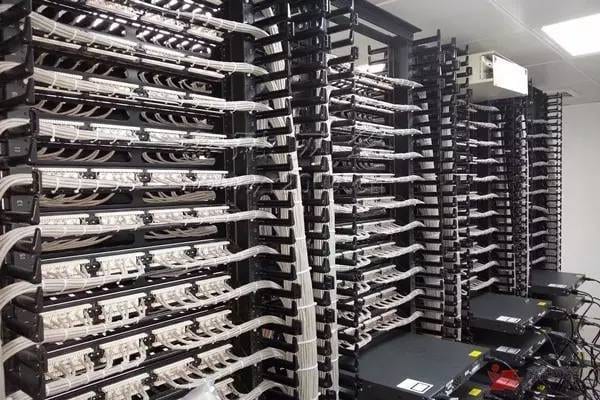
Here is the counter-consensus part: the fastest way to make a cabinet manageable is deletion. Abandoned patch cords, idle power leads, and cables left by decommissioned gear occupy slots, block airflow, and poison every future trace. Many hopeless-looking racks hold more dead cords than live ones. Pull the dead weight first and the remaining job halves, which is also why our sliding ODF patch panels for data centers slide forward on rails: rear work happens without disturbing the front, and dead cords become visible instead of hidden.
Think of this pass as an asset audit rather than a tidy-up. Every retired cord you remove is one less thing to trace during the next incident, one less thing collecting dust in the airflow path, and one more free port or manager slot for the next change. Teams that run this audit quarterly keep cabinets that never need a heroic rescue; teams that skip it for three years get the spider cave.
Distribution hardware matters here too, because you cannot document what has no home. If links terminate on nothing in particular, give them a real home first: optical distribution frames and patch panels exist to give every fiber a fixed, recordable address.
Which Habits Keep a Cabinet Clean for Years?
Three placement habits carry most of the load: keep each patch panel adjacent to the switch it feeds, give cords a fixed path through horizontal and vertical managers, and leave every device room to slide out on its rails. A cabinet built this way absorbs new devices without redesign.
Panel-switch proximity comes first because distance is where mess starts. In a well-ordered rack, patch panels and switches stack in compact vertical pairs, so a jumper travels inches instead of half a meter of rack face. The traffic flow becomes fixed geometry: panel port, into the horizontal manager directly above, along the front channel, across to the switch port. Every cord has an addressable route, and new cords join the flow instead of inventing one.
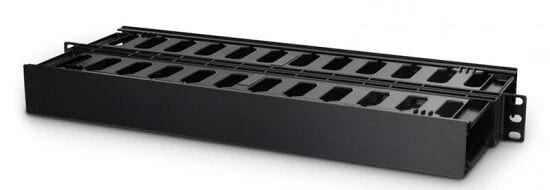
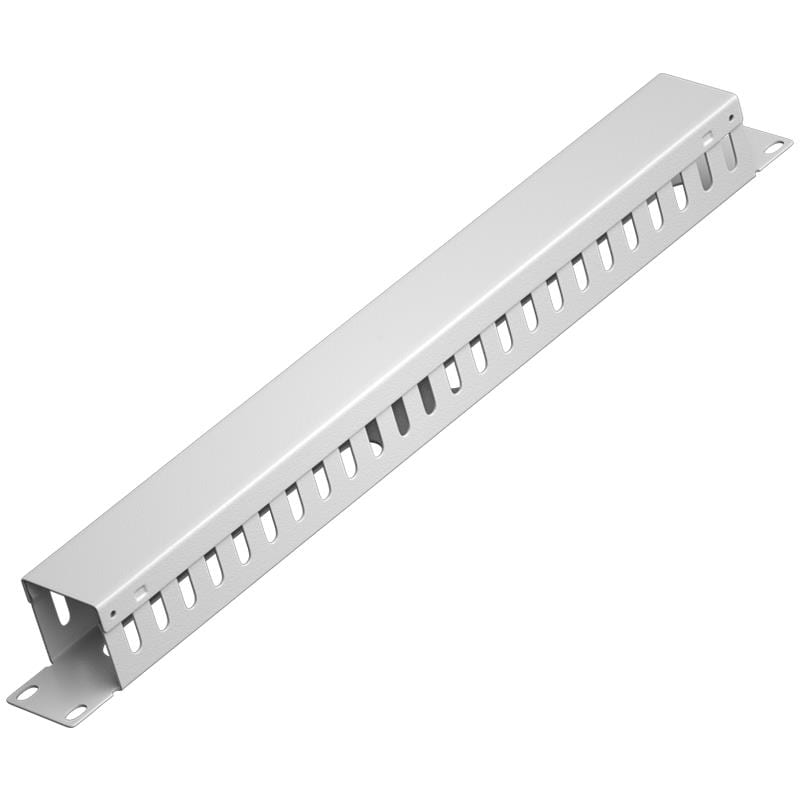
The manager geometry does the discipline for you. Horizontal managers sit above each panel, vertical managers run the full height of both rails, and drop organizers seat individual cords right at the port. True tidiness is never one fat braid of cords; it is every bundle taking its own road. Slot size matters more than most buyers expect: typical Cat5e and Cat6 cords run about 5.5 to 6.5 millimeters across, while Cat6A and shielded cords run thicker, and a slot that is too tight squeezes performance out of the jacket while a loose one lets cords sag onto their connectors. Our 1U cable manager patch panel follows exactly that geometry, because a manager that matches the cord holds it without squeezing it. The frame underneath matters just as much, which is why network cabinets and racks belong in the conversation: a manager bolted to a solid rack keeps its geometry for years.
Service space completes the set. Servers, storage arrays, and anything touched regularly must slide forward on rails without yanking their neighbors, which is the pull-out test from the first section. The slack that makes that possible lives in the vertical managers as gentle service loops, never in coils hanging behind a device and never across the exhaust path. A cabinet that passes the slide-out test on every device is one that will still be clean a year later.
The intake routine glues it together. When a new switch or server arrives, it lands with three things already decided: its pathway, its label positions, and its slack. Teams that make this a standard intake step never face a redesign; teams that let each device improvise its own cabling rebuild the spider cave one Friday at a time.
Velcro or Zip Ties: Which One Belongs in a Rack?
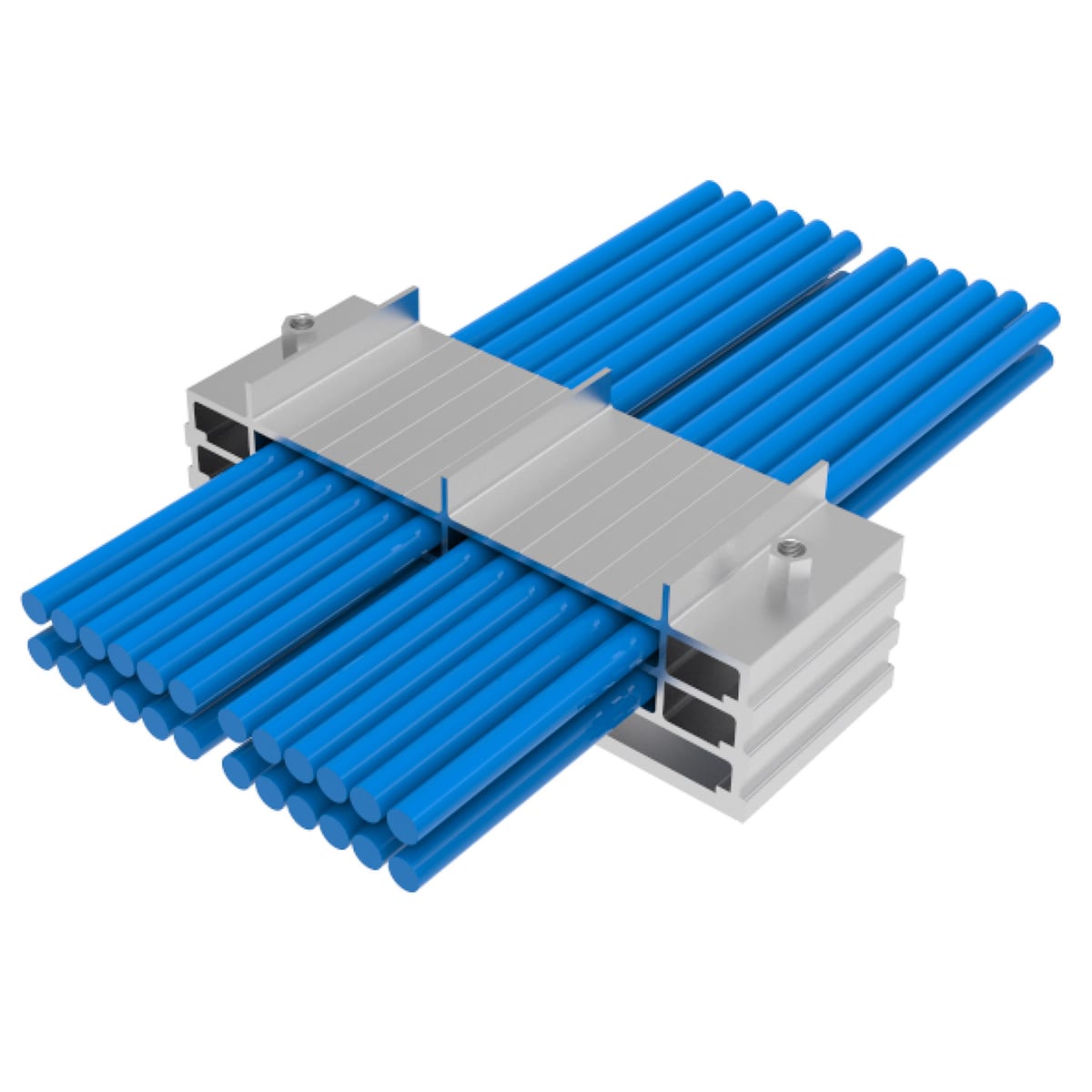
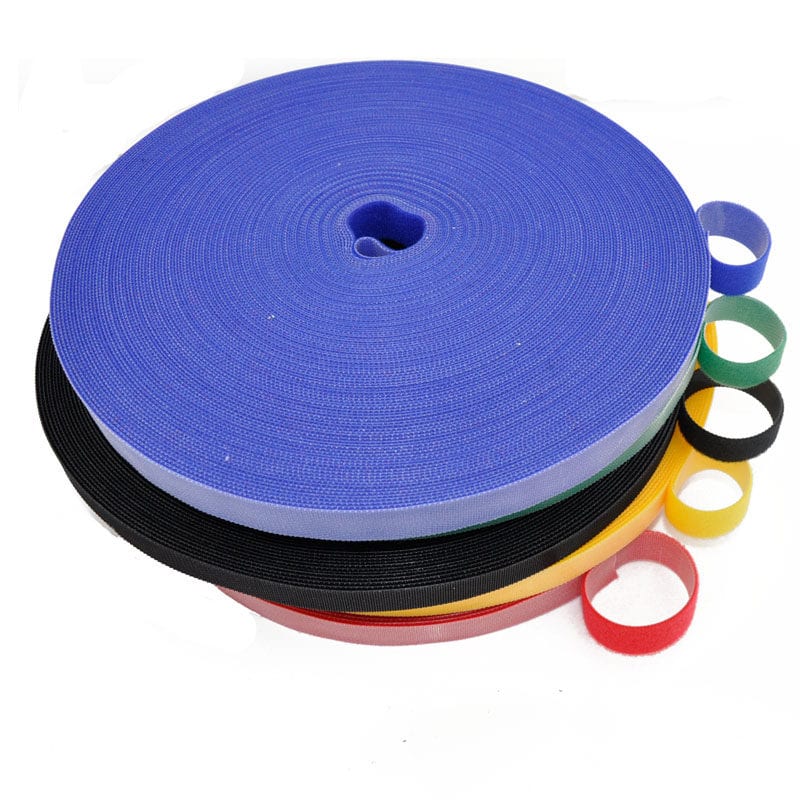
Hook-and-loop straps belong in the rack, and zip ties mostly do not. Velcro holds bundles firmly, releases without tools, and physically cannot crush a cable the way a ratcheted tie can. Zip ties belong only on permanent runs that will never change, wrapped around the whole bundle rather than cinched against a single cable.
The failure mode is quiet and expensive. A zip tie tightened past snug presses into the jacket, and the damage hides: copper pairs deform, and fiber attenuates long before anything looks broken. Fiber is the worse victim, since its glass core loses light at pressure points that a copper cable would shrug off. This is why every serious cabling guide, from NVIDIA's AI cluster cabling documentation down to the smallest homelab write-up, draws the same line: hook-and-loop for anything you may touch again, zip ties only where the bundle is truly permanent.
Slack is the other half of this habit, and it fights the same instinct. The tidy fantasy is every cord pulled arrow-straight, but straight cords have no future: a switch that slides out for service needs those extra centimeters, and a replacement patch cord of the perfect length rarely exists at 2 a.m. Professional cabinets are "held, not strangled": cords rest in their manager with a gentle service loop, ready to move.
Velcro earns its keep in daily operation too. It releases one-handed when you need to add a cord, it re-fastens at any position on the bundle, and it survives hundreds of reuse cycles, which suits a rack that changes monthly. Zip ties have their place, in troughs and on bundles that will never be opened, but they are a one-way decision: cut to remove, waste to re-do. For the copper quality side of that equation, our ethernet cable buying guide covers what belongs inside the jacket before it ever reaches a manager.
Can Fiber and Copper Share the Same Pathway?
No. Fiber needs its own pathway, its own managers, and its own handling rules. Copper tolerates handling that would quietly kill a fiber link: static bend radius alone should stay at ten times the cable diameter, and twenty times while the cable is under tension.
The Fiber Optic Association's bend radius rules put numbers on it: ten times the outside diameter after installation, twenty times while pulling. Bend a fiber past that and light leaks out at the curve, which shows up as loss long before anyone sees damage. Modern bend-insensitive patch fibers forgive more, but the manufacturer's number is the law, not the rule of thumb.
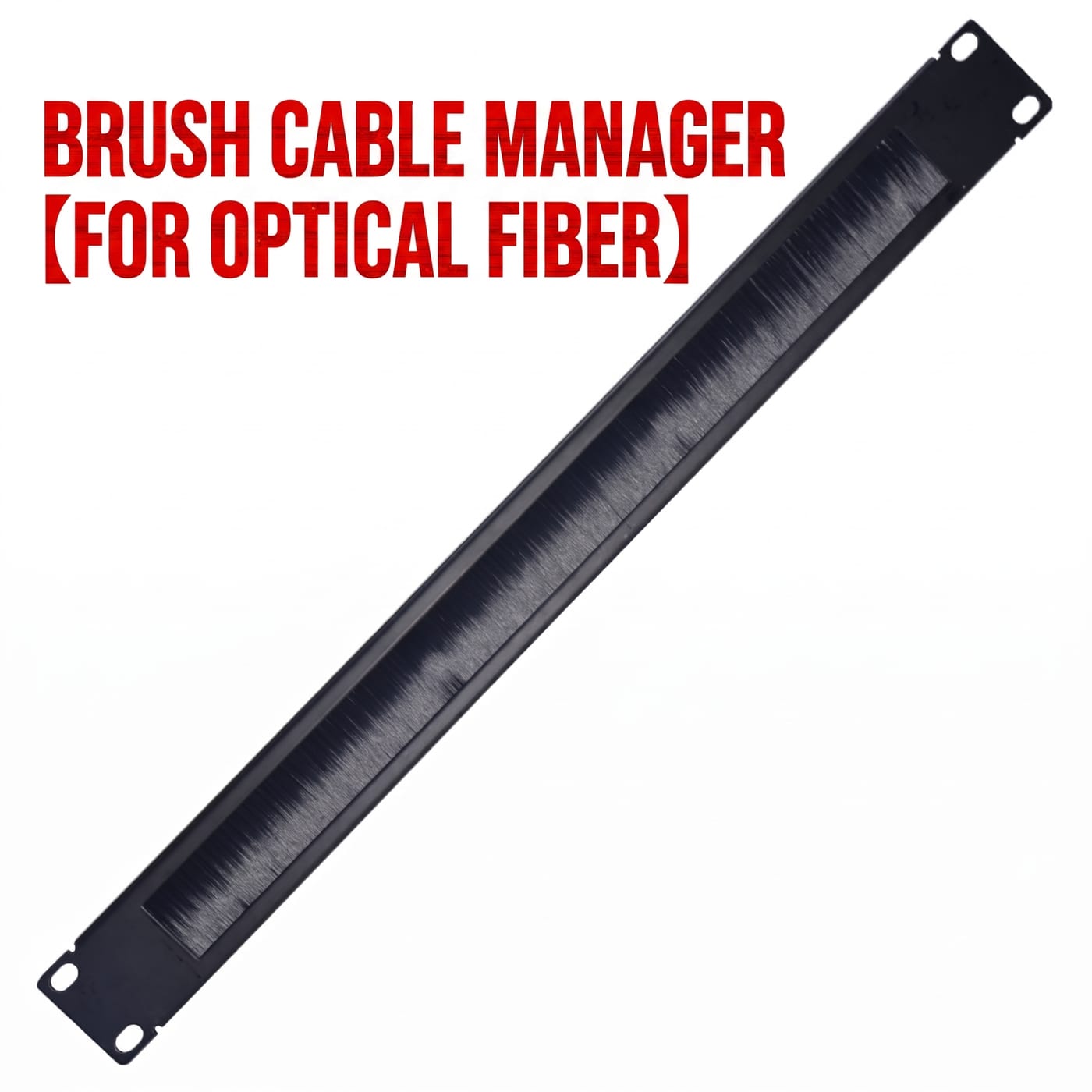
Mixing media in one channel creates exactly the wrong incentives. Copper cords are heavier and stiffer, so they press and shift as bundles move, and the fiber tucked among them takes the blame. Fiber jumpers also need connector protection: their grip areas should rest in a manager, never hang from the port. That is why fiber lives on dedicated routing, through fiber termination boxes and brush-style panels, with patch cords and pigtails dressed separately from the copper world.
High-density fiber raises the stakes again. MPO and MTP trunks pack twelve or more fibers into one connector, so a single careless bend disturbs a dozen links at once. In the data centers we supply, the pattern that survives contact with reality is simple: fiber runs its own vertical channel with brush managers at the panel, copper runs another, and nobody improvises crossings.
Handle the fiber types differently too. Single mode and multimode cords serve different networks and get documented separately, and their connectors demand respect: dust caps stay on until the moment of installation, and grip areas rest in the manager rather than hanging from the port. A fiber cord is light, which fools people; it does not weigh down a bundle, but any kink, squeeze, or sideways pull at the connector shows up as loss on the tester. Modern bend-insensitive fibers forgive tighter curves than the old rule allows, but the manufacturer's number is the one to follow, and the rack should make the gentle path the easy path.
Where Should Power Cables Go?
Power cables get their own pathway, on the opposite side of the rack from data. Keeping them apart prevents electrical noise from crossing into data runs, keeps each cable type serviceable on its own, and stops a power bundle from strangling the airflow channel behind your equipment.
Two habits separate careful installs from careless ones. First, the A and B power feeds of a dual-powered server get routed and labeled as distinct circuits, because the whole point of redundant power is that one path can fail or be serviced alone. Tie both feeds into one indistinguishable bundle and a technician working on circuit A will eventually unplug circuit B, and the redundancy you paid for evaporates. The drill is simple: A feeds run one side of the rack, B feeds the other, each with its own label prefix, and nobody ever moves a power cord without checking which letter it carries.
Second, the rear of the rack is an airflow channel, not a storage area. Piled power cords block exhaust, temperatures climb, and fans work harder for the same cooling. Route power down its dedicated side, secure it with the same hook-and-loop discipline as data, and keep the air path open. Planning the power route before the first server lands is what makes the discipline cheap; retrofitting it around forty live cords is what makes it expensive.
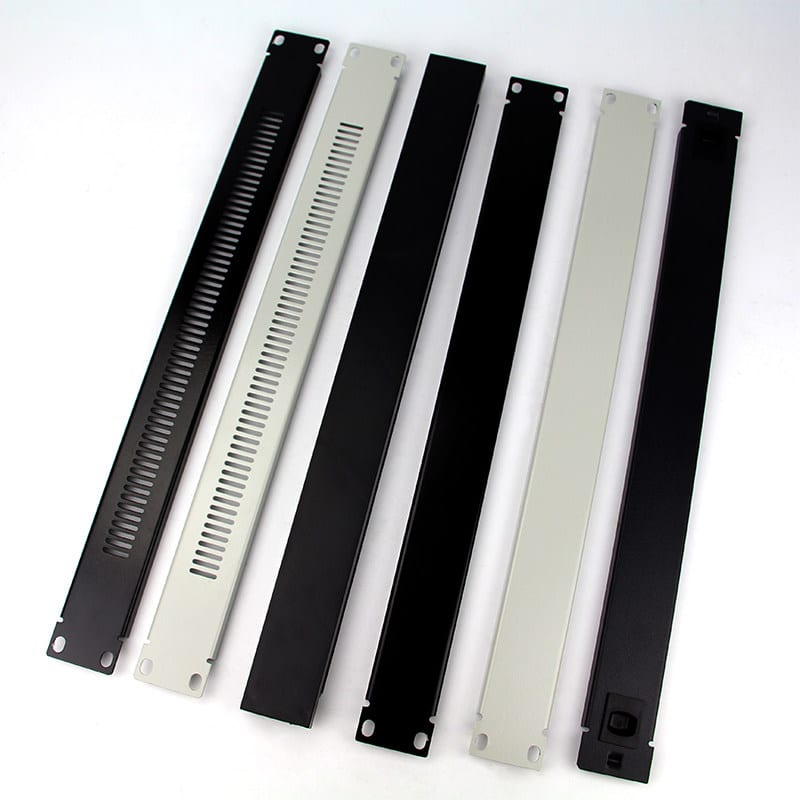
Empty rack units belong in this section too, oddly enough. Every open U lets cold air slip around to the hot side, which wastes cooling and stirs turbulence. Blanking panels cost almost nothing and close those gaps; most experienced operators treat an open U in a live rack as a to-do item, not a feature.
Why Labels Beat Color Codes Every Time?
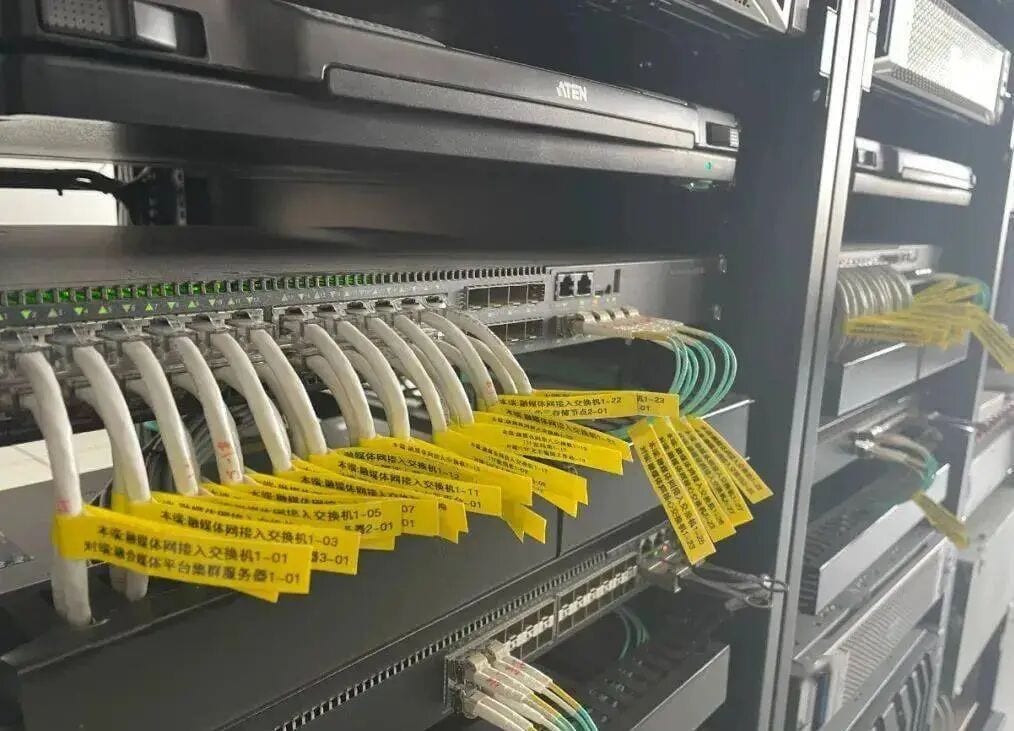
Color codes help and lie. A cabinet color-coded by function, servers in blue, management in yellow, storage in red, gives a newcomer instant context, but color says nothing about where a specific cord actually lands. Only labels do that, on both ends, in a scheme written down somewhere that survives staff turnover.
The TIA-606 labeling standard is the backbone, and Panduit's data center identification guide turns it into practice: machine-printed labels, applied to both ends, identifying the far-end port, visible without moving equipment. Handwriting fails in cold aisles and fades in hot ones, so printed wrap labels are the floor, not the ceiling.
A workable scheme is simpler than people fear. A cord from switch A, port 12, to the third-floor patch panel, port 24, becomes "SW-A1 P12 to PP-3F P24", printed on both ends. Anyone walking up cold can now trace that link without touching it. Color still helps as a coarse layer, and Telehouse's cabling guidance uses it that way, but color is the map legend, never the map.
Label discipline has a few mechanical rules worth copying. Wrap labels beat flag labels on cords, because flags snag and tear in dense cabinets. Labels get applied before the cord is installed, so the record and the link are born together. And the label sits where it can be read without pulling equipment out; a perfect label hidden behind a server is an imperfect label. Different regions add their own codebooks on top: alongside TIA-606, China's design and acceptance codes GB 50311 and GB/T 50312 treat identification and documentation as acceptance items, and the data center design code GB 50174 carries the same position. The wording differs, the message does not: the label and the record are part of the installation, not paperwork after it.
Then put the scheme somewhere better than a binder. Rack numbers, panel numbers, and port assignments belong in network documentation that gets updated with every change, which is the real promise of the cabinet: a new engineer reads the labels, checks the records, and knows the room in an afternoon. A record entry can be three fields: the cord ID, the near end, and the far end, plus a note on what the link serves. That is enough for anyone to trace, change, or trust the link later, and it is exactly what a spreadsheet column per field gives you on day one.
A tiny example makes the discipline concrete. Rack R12, panel PP-3F, port 24 connects to switch SW-A1 port 12, carries the sales floor VLAN, and was last verified in March. Written like that, one line answers the four questions every incident asks: what is this, where does it go, what depends on it, and when was it last proven. Multiply the line by a few hundred cords and you have a room that runs on records instead of memory. For the fiber side of that documentation, our guide to what an ODF does explains how distribution frames turn hundreds of fibers into addressable ports.
How Do You Fix a Cabinet That Is Already a Mess?
Work one device at a time, never the whole cabinet at once. The safe sequence is five steps: inventory what is there, confirm every live link, clean out dead cords zone by zone, re-run and label cords one by one, then test and record before moving to the next device. Pulling everything at once is how outages and mystery cords happen.
Here is the sequence in practice, refined from rescue jobs our customers have run:
- Inventory the cabinet. Photograph it from both sides, count the cords, and list every device with its role. You are building the "before" map that makes the "after" auditable.
- Confirm every live link. Trace from the patch panel outward, as in the earlier section, and mark confirmed-live cords. Anything unconfirmed stays installed and gets a temporary tag. Nothing gets pulled on a guess.
- Clean by zone, not by force. Remove dead cords, idle power leads, and forgotten adapters one rack unit group at a time. This alone often cuts the cord count by a third, and every removal makes the next trace easier.
- Re-run and label cord by cord. One confirmed link at a time: give it its proper pathway, its manager slot, its service slack, and its printed both-end label, then move to the next. Slow is smooth.
- Test and record before standing down. Every moved link gets verified at both ends, then written into the rack record. A cabinet you re-cabled and did not re-document is now a mess with better posture.
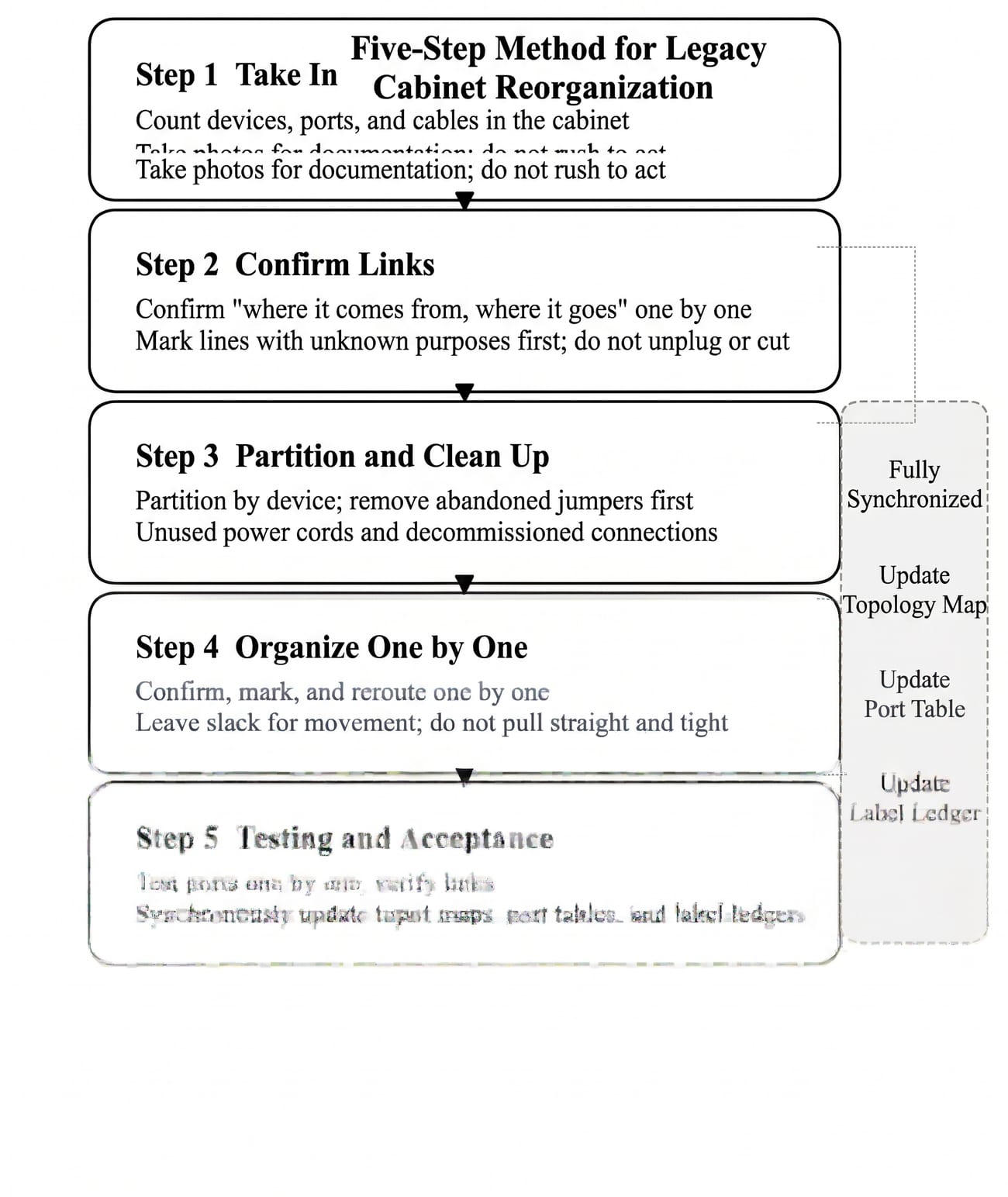
The golden rule underneath all five steps: never let the cabinet look better than your records are accurate. Update the topology and port ledger as you go, not as a promised later task. The administration standards say the same thing in formal language: a managed infrastructure is identifiers, records, the links between them, and reports drawn from them, which is Panduit's reading of TIA-606 in practice. Rescue work done this way usually takes a few maintenance windows rather than one heroic weekend, and the business never notices except that everything got calmer.
The payoff shows up at the worst moments. When the engineer who built the room leaves, the records carry the knowledge out the door with nobody losing it. When an incident hits at 3 a.m., the on-call tech works from labels instead of guesses. Those are the moments the whole discipline exists for, and they are also the moments nobody thinks about while bundling cords.
Rescue jobs are easier to believe when you see one. This 33-minute video walks a real server room from disaster to done, patch panel by patch panel, and it follows the same one-device-at-a-time discipline as the five steps above:

What Is Automated Infrastructure Management and Do You Need It?
Automated infrastructure management, or AIM, is the next layer up: intelligent patch panels that sense every patch and unpatch electronically, record it in real time, and reconcile the records without anyone typing. The behavior is defined by the ISO/IEC 18598 AIM standard, which requires AIM systems to detect incidents and keep an audit trail automatically.
What changes in daily operation is accountability. In a standard cabinet, the record is as good as the last disciplined technician. In an AIM cabinet, the panel itself knows which port connects where, flags unexpected unplugs, and hands the truth to your documentation system. Port moves that once took a manual trace become a lookup.
The vendor landscape is mature, which lowers the risk of trying it. CommScope, Legrand, and R&M all ship electronic patch panels and AIM software built around the 18598 requirements, and equipment vendors such as Huawei offer link-management layers of their own. The systems differ in detail but agree on the core: the panel senses, the software records, and the record reconciles itself without heroic discipline.
Density is the other force pushing rooms toward smarter management. Server access at 25 gigabits, 100 gigabit backbones, Cat8 copper inside its 30-meter range, and MPO trunks carrying eight or twelve fibers per connector all shrink the space per link. Thicker, denser cords with stricter bend limits mean the plan must set panel-to-manager ratios up front, reserve vertical and horizontal channels for growth, and leave maintenance spacing in the high-density zones, or the next expansion undoes the whole cabinet. That planning math, done before purchase, is also where a factory conversation helps most, because panel and manager counts are easier to right-size on a drawing than on a live rack.
The question is economics, and honesty beats enthusiasm here. AIM earns its cost where port density is high and changes are constant: carrier rooms, cloud halls, enterprise cores. A small cabinet room with a handful of moves a year gets the same benefit from printed labels plus updated records, at a tenth of the cost. Buy automation where change is the dominant cost, not where it is rare.
Picture the AIM workday to see the difference. A technician patches a new server, and the panel logs the connection before she has stood up. Someone unplugs the wrong cord two racks away, and the system flags it in seconds instead of at the next fault hunt. A capacity report shows which racks still have panel ports free, so the next deployment lands where the space actually is. None of that requires genius; it requires the record keeping itself instead of waiting for humans.
Two trends push more rooms toward AIM anyway. Labels themselves are going digital: QR-coded rack and panel tags scan straight into documentation, closing the gap between the physical label and the record. And the records now connect upward into DCIM and CMDB platforms, so the cabinet joins the IT asset lifecycle instead of living in a binder. For the device side of those dense ports, our SFP transceiver guide and our EBO connector explainer cover how the electronics and the glass are evolving alongside the cabling.
Data Center Cable Management Best Practices: The Cabinet-by-Cabinet Checklist
Everything above compresses into a walk-through you can run against any cabinet in half an hour. Use it for new installs and for audits of racks you inherited.
Route. Copper, fiber, and power each have their own pathway and their own managers. Fiber keeps its bend radius, power stays clear of the exhaust lane, and nothing crosses the rack face. Bundles get supported at regular intervals, every two meters or in trays, and never take shortcuts through pipes or conduit, where they tear, snag, and become untraceable. Measure runs before ordering cords, because right-length cables prevent both the clutter and the rework that too-long cords guarantee.
Secure. Hook-and-loop on everything that might ever change, zip ties nowhere near fiber, cords seated in managers whose slots match the cord, slack stored where it can flex.
Label. Both ends, machine printed, far-end identified, colors only as a coarse layer. The written scheme exists before the first cord lands, and the record updates with every move.
Verify. After installs and after every rescue: each link tested, each label checked against the record, each empty U blanked. NVIDIA's cluster cabling guide adds the same discipline at scale, which is just the cabinet checklist wearing a bigger hat.
Run that list cabinet by cabinet and the room converges on a state that keeps paying you back: faster changes, shorter outages, and no fear of the rack nobody wants to touch. A quarterly dead-cord sweep keeps it there, because entropy only wins when nobody looks. The hardware side is catalog work from there, and our full product catalog holds the panels, frames, and managers that make the standard stick.
Conclusion
Good cable management is four habits, not a cleanup day: separate paths for copper, fiber, and power; hook-and-loop instead of strangled ties; labels on both ends backed by real records; and slack left for whoever comes next. Add a dead-cord purge and a five-step rescue method, and even an inherited mess becomes a maintained asset rather than a haunted one.
The cabinet that results is quietly expensive to appreciate and impossible to fake: any technician, any shift, any failure, and the answer is one label away. That is what the standards were pointing at all along.
If you want a factory-side review of your rack elevations, port counts, or a rescue plan, send the details through the inquiry form below or meet the team first. We build the panels, frames, and managers behind disciplined rooms, and we are happy to check your cabling plan the way we check our own.
Frequently Asked Questions
How often should a data center cabinet be audited and re-labeled?
Audit whenever the cabinet changes, and walk the whole room at least once a year. The TIA-606 administration logic treats labels and records as one system, so every move gets documented on the spot and the annual walk simply verifies that the record still matches the rack. Rooms with constant changes close the gap faster with QR-coded labels or AIM.
Are zip ties ever acceptable in a data center?
Only on permanent runs that will never change, and then around the whole bundle rather than cinched against a single cable. Never on fiber, where a ratcheted tie's pressure point causes loss you cannot see. Hook-and-loop straps are the default for anything a technician might touch again, because they hold bundles without the ability to crush.
What bend radius should fiber patch cords keep inside a rack?
Keep static bends at ten times the cable diameter and dynamic bends at twenty times, per the Fiber Optic Association's rules. Bend-insensitive patch fibers may allow tighter curves, so the manufacturer's specification always wins, and brush-style managers make the safe radius the easy path.
What is the safest way to clean up a messy live cabinet without downtime?
Work one device at a time with the five-step sequence: inventory the cabinet, confirm every live link, remove dead cords zone by zone, re-run and label cord by cord, then test and record before moving on. Nothing gets pulled on a guess, and every moved link is verified and documented the same day. The room stays up because only confirmed-dead cords ever leave.
Do I really need an intelligent patch panel AIM system?
Buy AIM where port density is high and changes are constant, because that is where record-keeping by hand fails fastest, and the ISO/IEC 18598 standard defines what the system must do automatically. A small room with a few moves per year gets the same reliability from printed labels and updated records at a fraction of the cost. Choose by change frequency, not by fashion.
Interested in our products?
Get a Quote